The Tightening
I’m learning music theory in public — this is me working through ideas, not teaching them.
The other posts on this site explore chord relationships as static diagrams: the circle of fifths as a force-directed graph, the chord transposer as arithmetic on pitch classes. The Tightening tries to make that stuff feel like a live instrument.
It’s a desktop app (Electron) with three modes — Jam, Walk, and Replay — and everything lives on one shared circle of fifths. Three concentric rings hold all 36 triads — major on the outside, relative minors in the middle, diminished chords on the inside — and each chord sits in its fixed circle-of-fifths slot. Whatever you’re doing, you’re doing it on the circle.
Walk mode: finding a path between two chords
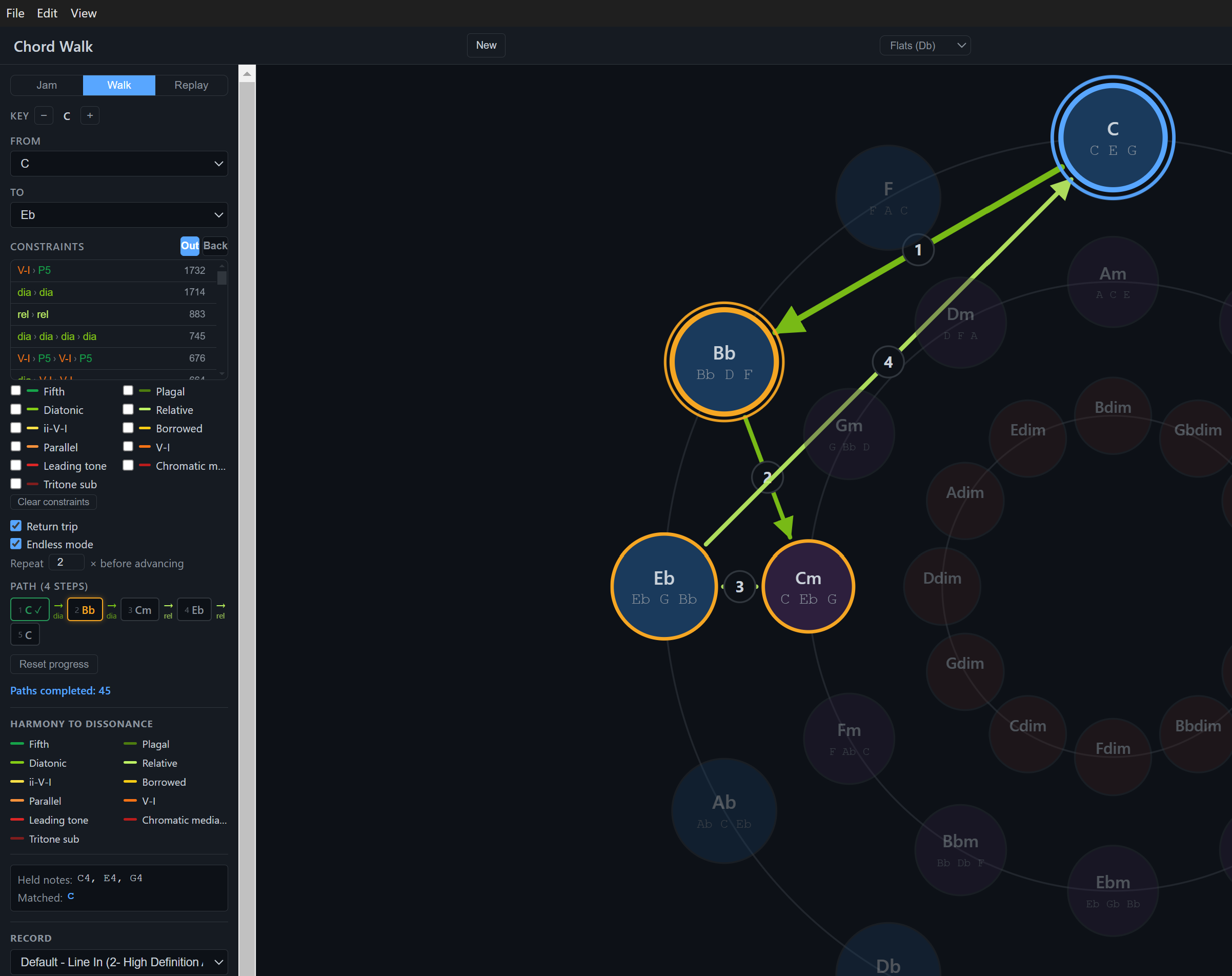
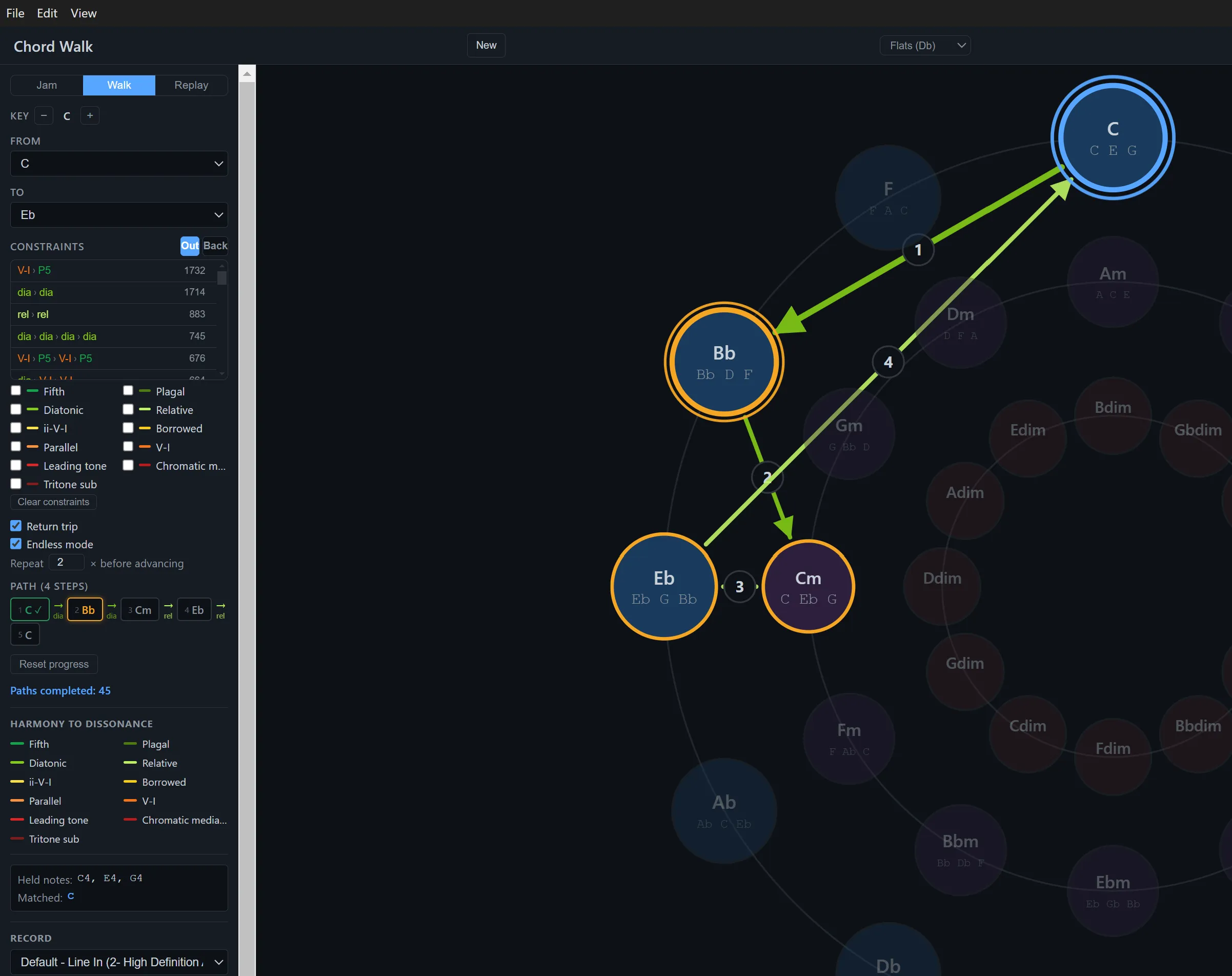
Pick a from chord and a to chord, and the app finds the shortest harmonic path between them — a sequence of real chord moves that gets you from one to the other. It’s a weighted shortest-path search over the 36-node graph, where every edge is a named harmonic relationship with a cost.
The interesting part is the eleven relationship types the search can use, ordered from consonant to dissonant: perfect fifth, plagal (IV→I), diatonic neighbor, relative major/minor, ii-V-I, borrowed/modal-mixture, parallel major/minor, V→I dominant resolution, leading-tone, chromatic mediant, and tritone substitution. Each edge is colored on a green-to-red gradient by how far it pulls away from home, and hovering any edge tells you which relationship it is.
You can also constrain the walk: tick “must include” boxes to force the path through specific relationships. Want a route from G to A that goes through a ii-V-I and a relative-minor move? Check those boxes and the search routes around them. There’s a return-trip toggle that appends the reverse journey, and an endless mode that keeps picking new destinations so you can just wander.
The thing that broke my brain
Walking a path drove home something I knew about but had never felt directly: dissonance isn’t a property a chord has, it’s a relationship. I followed a walk that started on C major and kept waiting for it to feel like home — and it wouldn’t. It sounded tense. Then it clicked: C wasn’t the tonic of this path at all; my ear had quietly settled on G♭ as home, and relative to G♭, a C major chord is the ♯4 — a tritone above the tonic, the single most unstable note in the key (the one medieval theorists nicknamed diabolus in musica). C and G♭ sit on exact opposite poles of the circle, a tritone apart, the most distant relationship two chords can have. Nothing about the notes of C major changed — it’s as consonant a triad as exists — but drop it into G♭‘s orbit and it screams “we are far from home.” That’s the whole premise of the consonant-to-dissonant edge coloring, except now I could hear it: the tonal center is something your ear builds on the fly, and the same chord can be a resting place or a scream depending on where it decides home is.
Jam mode: live chord detection on the circle
Jam mode is for free play. Hold chords on your MIDI keyboard and the app builds a live graph of what you’re playing — each detected chord becomes a node, and each move between chords becomes a directed edge, colored by the same harmonic taxonomy Walk mode uses. The graph rearranges itself by spring physics as you add to it, so you can see the shape of an improvised progression at a glance.
It also identifies extended chords in real time: hold a dominant seventh and it shows C7 (not just C), with a dashed amber edge on the circle pointing toward the expected resolution. Dominant sevenths, major sevenths, minor sevenths, half-diminished, diminished sevenths, augmented, suspended, and add9 chords are all named. The underlying triad still lights up on the circle — the extension is shown as a label and a hint, not a separate node.
Replay mode
The audio recorder captures both line-in audio and MIDI simultaneously. When you stop, it saves a WAV (automatically peak-normalised and limited), a MIDI file, and a snapshot of the circle’s current state. Replay mode loads all three and plays them back in sync — the circle animates exactly as it looked when you recorded, with chord highlighting firing on each MIDI event. It’s a way to review a take and understand what you actually played.
How the positions work
Each chord name maps to a root pitch class (C = 0, G = 7, D = 2, etc.) and a quality. Position on the circle uses the standard fifths ordering (C, G, D, A, E, B, F#, Db, Ab, Eb, Bb, F): pitch class maps to angle . Minor chords sit at their relative major’s slot on the middle ring; diminished chords sit on the inner ring. This puts closely-related keys near each other, so most harmonic moves are short hops between neighbors and the dissonant relationships visibly leap across the circle.
MIDI detection
Plug in a MIDI keyboard, play a chord, and the circle lights up. Detection is pitch-class matching — the app collects held MIDI notes, reduces them to pitch classes (mod 12), and checks which chords are subsets of the held set. When multiple chords match, the most specific one wins, and there’s a 50ms debounce so passing tones don’t flicker the display. In Walk mode it tracks your progress along the path; landing on the correct next step lights it green.
Try it
Download the latest release (Windows installer, free, no account required).
Source and setup instructions on GitHub. Full feature guides on the tutorials page.
Built through LLM collaboration with Claude.