Walk Mode
Walk mode finds the shortest harmonic path between any two chords in the 36-node theory graph and lets you play through it on your MIDI keyboard, one step at a time.
The basics
- Pick a From chord and a To chord from the dropdowns.
- The app finds a path and displays it as numbered steps in the sidebar and as coloured edges on the Circle of Fifths.
- Play the chord shown in the highlighted node. When the app detects it, it advances to the next step.
- Reach the destination and the path completes.
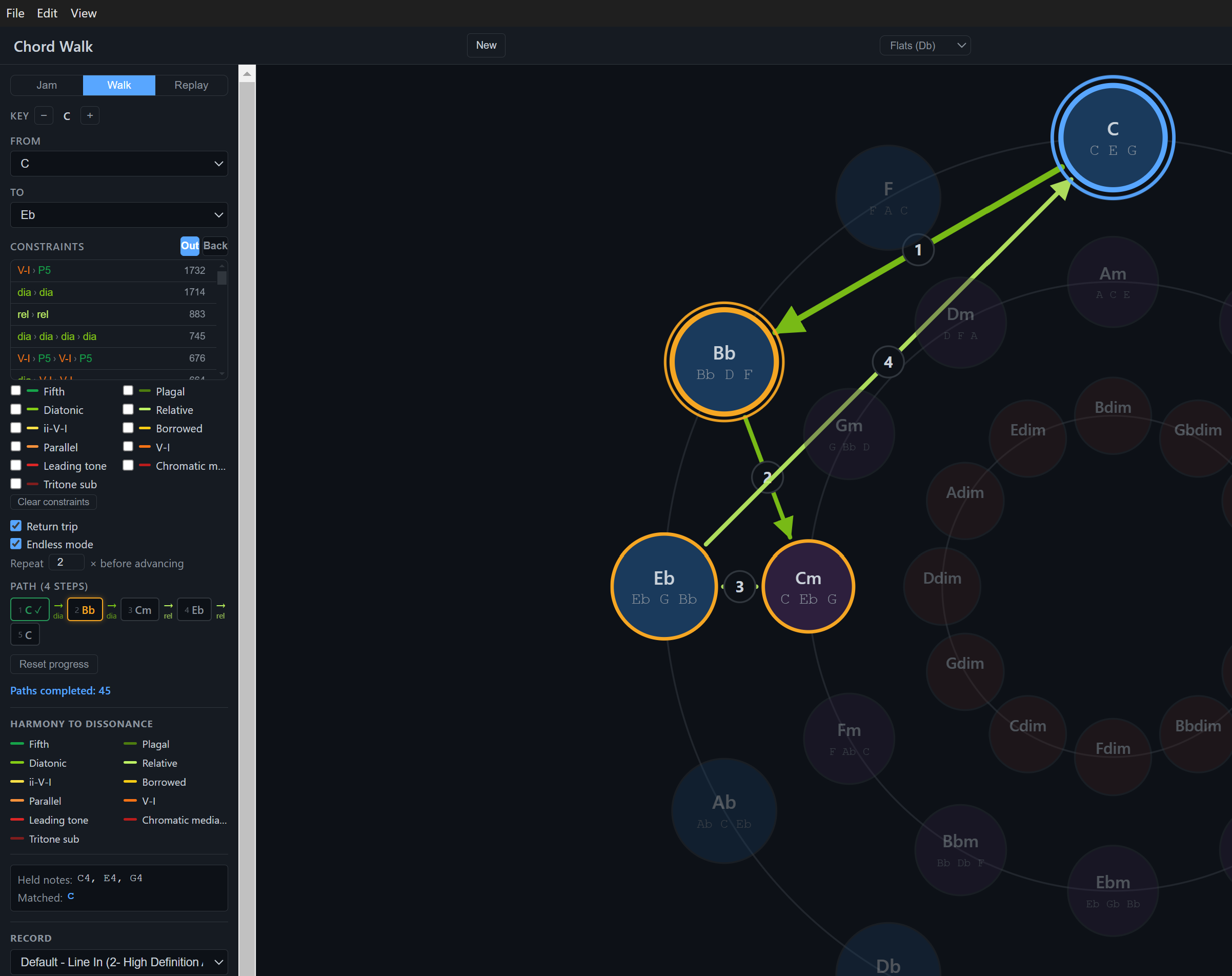
Each edge in the path has a type — fifth, diatonic, relative, borrowed, etc. — shown as a colour on the circle. The Harmony to Dissonance legend at the bottom of the sidebar maps colours to types.
Constraints
The Must include toggles let you force the path to use at least one edge of a specific type. Enable Diatonic and the path will route through at least one in-key neighbour move. Enable Tritone sub and it’ll find a route that passes through a tritone substitution.
Constraints narrow the search space — a path satisfying more constraints will be longer or take a less obvious route, which is often the interesting part.
Return trip
Toggle Return trip to append the reverse path (To → From) immediately after the outbound leg. The destination chord is shared, so you hear the turnaround without a gap. The return leg has its own independent constraints under the Back tab — you can force the outbound to use a leading tone and the return to use a fifth, for example.
Endless mode
Toggle Endless mode and the app automatically picks a new random destination when each path completes, using the last chord as the new From. With return trip also on, it always departs from the same home base. Without it, the app drifts around the circle.
The Paths completed counter in the sidebar tracks how many legs you’ve walked in the session.
Cycle presets
The Constraints panel shows cycle presets — common harmonic patterns found across thousands of songs. Clicking one locks the path to that exact edge-type sequence. The example chords shown are real instances of that pattern from the song library.
See Cycle Presets for a deeper explanation of how presets work and why the path you get might differ from the example song.